
Built-In SEO Optimization
Optimize every article before publication with a dedicated SEO layer built directly into the workflow. Built-In SEO Optimization helps you manage key on-page elements such as titles, descriptions and slugs, making it easier to publish content that is better prepared for visibility from the start.
- On-page SEO control
- Faster optimization workflow
- Stronger publishing readiness
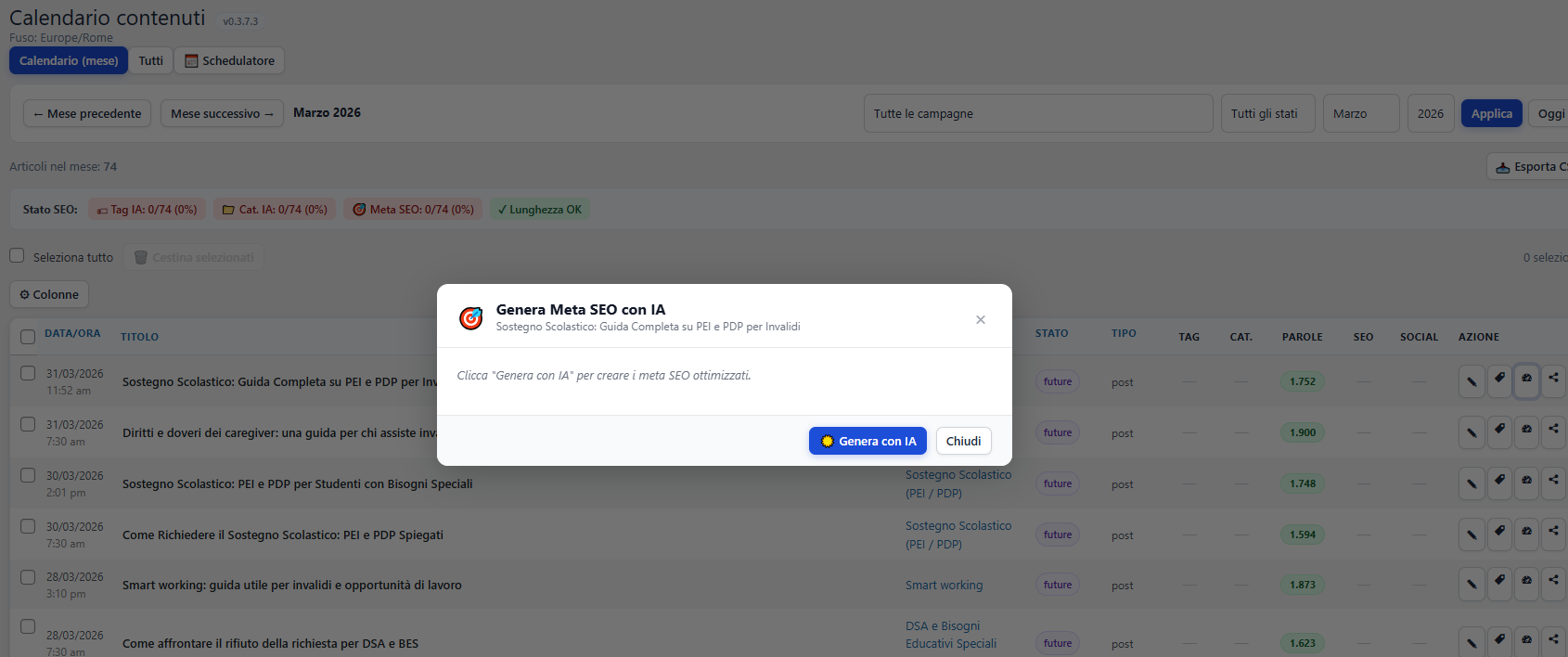
Optimize key SEO elements before you publish
Content quality is only part of the equation. This feature helps you finalize the core SEO fields that influence how each article is presented and understood by search engines.
Refine essential SEO fields
Review the core metadata before publishing so each article has a stronger on-page SEO foundation from the moment it goes live.
Work inside the same flow
Keep optimization connected to editing and publication instead of moving into separate tools or disconnected SEO checklists.
Publish with more confidence
Finalize the article knowing the key search-facing elements have been reviewed and aligned with your broader optimization goals.
Why this feature matters
Even strong articles can underperform if the final SEO layer is weak or incomplete. Built-in optimization gives you a more reliable way to prepare content for publication without separating SEO from the editorial workflow.
- Improves the final preparation of each article.
- Keeps SEO tasks connected to the publishing process.
- Reduces the risk of missing critical on-page elements.
- Makes optimization faster and easier to repeat at scale.
What you can do here
This section helps you review and finalize the most important on-page SEO fields before content moves from draft to published post.
- Check the title tag and meta description.
- Review slug structure and final article presentation.
- Support alignment with installed SEO plugins.
- Prepare the article for stronger search visibility.
How Built-In SEO Optimization improves your workflow
It adds a final optimization layer directly inside the publishing sequence, helping you move from edited draft to better-prepared live content with less friction.
Review the SEO panel
Open the optimization area and check the main search-facing elements of the article before moving to the final publication step.
Refine the metadata
Adjust the key fields so the article is clearer, stronger and more aligned with the intended SEO direction.
Publish a more optimized post
Move forward knowing the article has passed through a cleaner and more complete final SEO validation stage.
Complete the workflow with a stronger SEO layer
Built-In SEO Optimization helps you finalize the most important search elements of every article, making the jump from draft to publication smarter and more complete.
Continue with Social Publishing