
Dashboard Overview
Get a complete overview of your content operations from one streamlined control center. The dashboard helps you monitor campaigns, access key tools instantly, and keep the entire workflow under control without jumping across multiple screens.
- One unified view
- Faster navigation
- Smarter workflow control
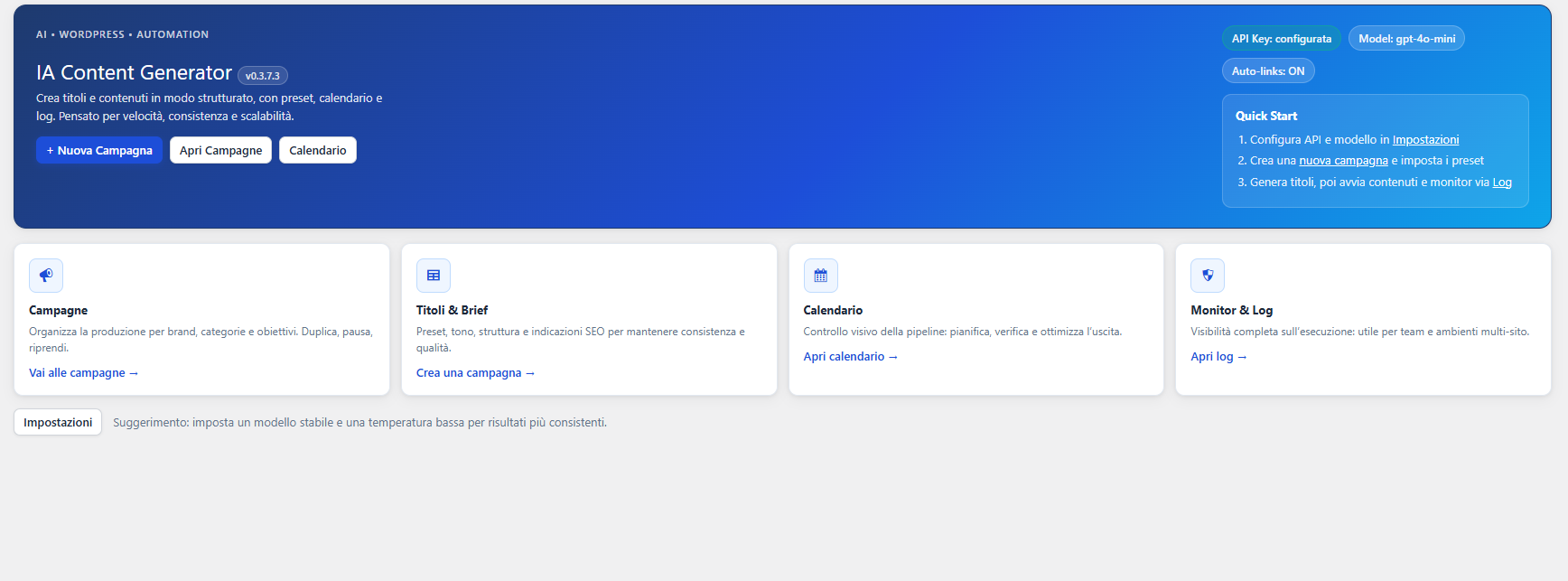
Everything starts from one place
The dashboard is designed to reduce friction, improve visibility and help you move faster across the entire content generation process.
Instant visibility
See campaigns, operational areas and the main workflow at a glance without wasting time searching through different sections.
Quick access
Reach the most important plugin areas directly from the dashboard and move from overview to action in a single click.
Better control
Keep track of your activity and maintain a more organized editorial workflow from a single, centralized environment.
Why this feature matters
As content production grows, losing time between menus, tools and campaign sections becomes a real bottleneck. A clear dashboard solves this by giving you one operational starting point.
- Reduces unnecessary clicks across the plugin.
- Improves daily workflow clarity.
- Helps teams stay focused on execution.
- Makes the plugin easier to use from day one.
What you can manage from here
The dashboard acts as the command center of the plugin, connecting the most strategic functions into one accessible area.
- Campaign overview and direct access to workflows.
- Fast navigation to titles, images and content tools.
- Immediate visibility on the core operating sections.
- A cleaner starting point for daily editorial management.
How Dashboard Overview improves your workflow
Instead of treating the plugin as a collection of disconnected tools, this feature gives you a more structured and professional working experience.
Open the dashboard
Start from a clear overview that highlights the main content management areas and plugin sections.
Identify priorities
Quickly understand where to go next, whether you need to manage campaigns, generate content or review activity.
Move faster
Use the dashboard as your main operational hub and reduce friction across the entire content creation lifecycle.
Start from clarity, move with speed
Dashboard Overview gives you a cleaner way to manage content operations, making every next step inside the plugin faster and easier to control.
Continue with Smart Campaigns